
Autonomously scan and map tunnel interiors using a LIDAR-equipped drone — generating path data without manual flight control.
Quick Snap Summary
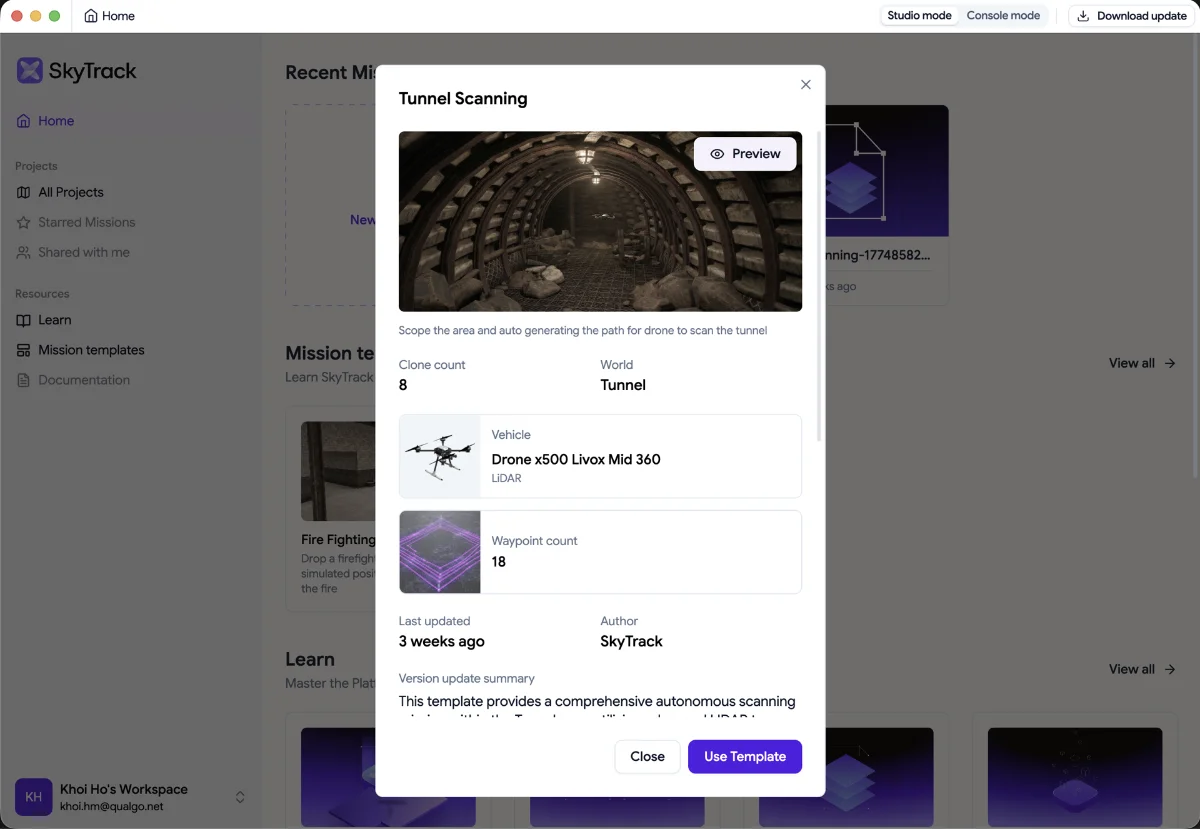
🔦 Ready-to-run mission: pre-loaded with full flight logic; select and execute in one click
🗺️ Environment: Tunnel map with enclosed underground structures
🚁 Vehicle: Drone x500 equipped with Livox Mid 360 (LIDAR) sensor
🎯 Actions: Takeoff → scope area at high altitude → descend for detailed low-altitude tunnel sweep → RTH → Landing
⚙️ Parameters: Overlap 70% · Altitude 20m · GSD 1.5 cm/px
🧪 Simulator-ready: Executes instantly in the Digital Twin Simulator
✅ Status: Validated with deterministic execution results
Area of Application
This template is a great starting point for developers and system integrators working in:
→ Infrastructure Inspection
→ Mining & Underground Operations
→ 3D Mapping & Surveying
→ Research & Education
Even if tunnel scanning isn't your primary use case, the patterns here, altitude transitions, dense waypoint sequencing, sensor-specific mission design, are directly transferable to any advanced autonomous mission in SkyTrack.
How It Works
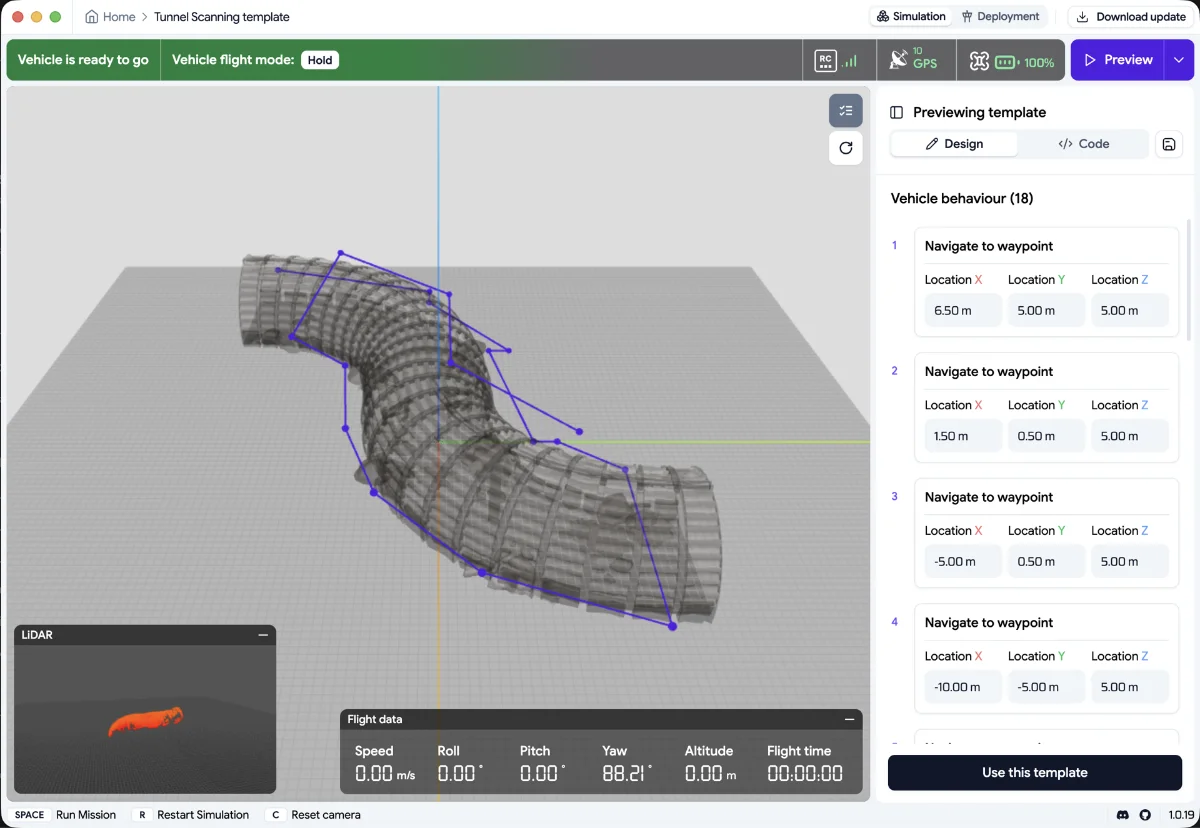
This template automates a two-phase scanning strategy inside a tunnel environment. The drone first performs a high-altitude area scope to establish spatial context, then descends into the tunnel for a detailed low-altitude sweep, tracing the tunnel path at 1.5m altitude. The LIDAR sensor captures continuous point-cloud data throughout both phases, enabling auto-generated 3D mapping of the tunnel interior.
Mission Flow
- Takeoff from the home position
- Phase 1: Area Scope (High Altitude)
- Navigate to overview position at [6.5, 5, 5]
- Sweep across the tunnel entrance zone via waypoints at altitude 5m
- Transition to descent point at [-10, -5, 5]
- Phase 2: Tunnel Interior Sweep (Low Altitude)
- Descend to 1.5m altitude for close-range LIDAR capture
- Follow the tunnel path through 13 sequential waypoints, tracing curves and corridors
- Final waypoint at [-16, -9.5, 1.5] marks the deepest scan point
- Return to Home (RTH)
- Landing
Good to Know
- Simulation only: this template runs in the Digital Twin Simulator. Real-world deployment in Sim - to - RealReal will be ready in Q3
- LIDAR sensor required: the x500 Livox Mid 360 vehicle configuration must be available in your simulator build. Camera-only configurations will not produce point-cloud data.
- Two-phase pattern: the mission intentionally flies high first (5m) then low (1.5m). This dual-altitude approach maximises spatial coverage while maintaining scan density within the tunnel.
- GPS-denied environment: tunnel interiors are GPS-denied zones. In real-world deployment, this template would require VIO (Visual-Inertial Odometry) or alternative localisation — not yet available in simulation.
- Great for learning: this template demonstrates altitude transitions, dense waypoint sequencing, and sensor-specific mission design, making it ideal for builders studying advanced mission logic.
Clone & Start Building
Open SkyTrack Mission Studio → navigate to the Template Library → select Tunnel Scanning → click Run to execute immediately, or Clone to customise the mission logic.
Related Templates: Fire fighting mission template: https://getskytrack.com/help/article/fire-fighter-mission-template-en-1193
[ Try in Mission Studio → https://platform.getskytrack.com/]
Show us your mission in SkyTrack in Join the SkyTrack Discord